%20rotate(-158)%20translate(-31.7531%2C%20-31.5197)%22%3E%3C%2Fpath%3E%3C%2Fg%3E%3Cg%20id%3D%22agreedock%22%20transform%3D%22translate(73.3853%2C%202.5469)%22%20fill%3D%22%23000000%22%20fill-rule%3D%22nonzero%22%3E%3Cpath%20d%3D%22M9.391375%2C42.156625%20C6.474125%2C42.156625%204.17958333%2C41.3807917%202.50775%2C39.829125%20C0.835916667%2C38.2774583%200%2C36.2352083%200%2C33.702375%20C0%2C31.1747917%200.890604167%2C29.1536875%202.6718125%2C27.6390625%20C4.45302083%2C26.1244375%206.9755%2C25.2364583%2010.23925%2C24.975125%20L18.68125%2C24.311%20L18.68125%2C23.622375%20C18.68125%2C22.2235417%2018.4223958%2C21.1036875%2017.9046875%2C20.2628125%20C17.3869792%2C19.4219375%2016.6744375%2C18.8148333%2015.7670625%2C18.4415%20C14.8596875%2C18.0681667%2013.803125%2C17.8815%2012.597375%2C17.8815%20C10.4787083%2C17.8815%208.847125%2C18.3096667%207.702625%2C19.166%20C6.558125%2C20.0223333%205.985875%2C21.2377083%205.985875%2C22.812125%20L0.791875%2C22.812125%20C0.791875%2C20.845125%201.28916667%2C19.1377083%202.28375%2C17.689875%20C3.27833333%2C16.2420417%204.69%2C15.120875%206.51875%2C14.326375%20C8.3475%2C13.531875%2010.46675%2C13.134625%2012.8765%2C13.134625%20C15.2646667%2C13.134625%2017.3292292%2C13.5518542%2019.0701875%2C14.3863125%20C20.8111458%2C15.2207708%2022.1641875%2C16.4790208%2023.1293125%2C18.1610625%20C24.0944375%2C19.8431042%2024.577%2C21.947625%2024.577%2C24.474625%20L24.577%2C41.453125%20L19.345375%2C41.453125%20L18.809%2C37.179625%20C18.1521667%2C38.6892917%2016.9650833%2C39.8962083%2015.24775%2C40.800375%20C13.5304167%2C41.7045417%2011.5782917%2C42.156625%209.391375%2C42.156625%20Z%20M11.2595%2C37.5305%20C13.5601667%2C37.5305%2015.3776875%2C36.852375%2016.7120625%2C35.496125%20C18.0464375%2C34.139875%2018.713625%2C32.2977083%2018.713625%2C29.969625%20L18.713625%2C28.482125%20L12.347125%2C29.0185%20C10.1112083%2C29.1999167%208.5141875%2C29.6804375%207.5560625%2C30.4600625%20C6.5979375%2C31.2396875%206.118875%2C32.2382083%206.118875%2C33.455625%20C6.118875%2C34.8165417%206.57270833%2C35.8359167%207.480375%2C36.51375%20C8.38804167%2C37.1915833%209.64775%2C37.5305%2011.2595%2C37.5305%20Z%22%20id%3D%22Shape%22%3E%3C%2Fpath%3E%3Cpath%20d%3D%22M28.4394067%2C27.045375%20C28.4394067%2C24.4005417%2028.9765109%2C22.031625%2030.0507192%2C19.938625%20C31.1249276%2C17.845625%2032.6433442%2C16.183125%2034.6059692%2C14.951125%20C36.5685942%2C13.719125%2038.8644484%2C13.103125%2041.4935317%2C13.103125%20C43.9050317%2C13.103125%2045.9682817%2C13.6553958%2047.6832817%2C14.7599375%20C49.3982817%2C15.8644792%2050.6028651%2C17.3938333%2051.2970317%2C19.348%20L50.6014067%2C20.027875%20L51.1771567%2C13.934375%20L56.6957817%2C13.934375%20L56.6957817%2C40.1905%20C56.6957817%2C43.16025%2056.1200317%2C45.7366875%2054.9685317%2C47.9198125%20C53.8170317%2C50.1029375%2052.1908442%2C51.7864375%2050.0899692%2C52.9703125%20C47.9890942%2C54.1541875%2045.4858651%2C54.746125%2042.5802817%2C54.746125%20C38.7361151%2C54.746125%2035.5785317%2C53.7184375%2033.1075317%2C51.6630625%20C30.6365317%2C49.6076875%2029.1633234%2C46.794125%2028.6879067%2C43.222375%20L34.7516567%2C43.222375%20C35.0188234%2C45.1275417%2035.8408859%2C46.6111042%2037.2178442%2C47.6730625%20C38.5948026%2C48.7350208%2040.3796567%2C49.266%2042.5724067%2C49.266%20C45.0480734%2C49.266%2047.0210526%2C48.5347917%2048.4913442%2C47.072375%20C49.9616359%2C45.6099583%2050.6967817%2C43.6566667%2050.6967817%2C41.2125%20L50.6967817%2C33.88%20L51.4317817%2C34.608%20C50.7381984%2C36.5131667%2049.4765942%2C38.0261875%2047.6469692%2C39.1470625%20C45.8173442%2C40.2679375%2043.6941567%2C40.828375%2041.2774067%2C40.828375%20C38.6804067%2C40.828375%2036.4192609%2C40.2230208%2034.4939692%2C39.0123125%20C32.5686776%2C37.8016042%2031.0782609%2C36.1563125%2030.0227192%2C34.0764375%20C28.9671776%2C31.9965625%2028.4394067%2C29.652875%2028.4394067%2C27.045375%20Z%20M34.5189067%2C26.917625%20C34.5189067%2C28.534625%2034.8429484%2C29.9929583%2035.4910317%2C31.292625%20C36.1391151%2C32.5922917%2037.0568442%2C33.6250833%2038.2442192%2C34.391%20C39.4315942%2C35.1569167%2040.8285317%2C35.539875%2042.4350317%2C35.539875%20C44.0951984%2C35.539875%2045.5322401%2C35.1701875%2046.7461567%2C34.4308125%20C47.9600734%2C33.6914375%2048.8899067%2C32.6720625%2049.5356567%2C31.3726875%20C50.1814067%2C30.0733125%2050.5042817%2C28.5804167%2050.5042817%2C26.894%20C50.5042817%2C25.2075833%2050.1854901%2C23.7332083%2049.5479067%2C22.470875%20C48.9103234%2C21.2085417%2047.9924484%2C20.2130833%2046.7942817%2C19.4845%20C45.5961151%2C18.7559167%2044.1485734%2C18.391625%2042.4516567%2C18.391625%20C40.8130734%2C18.391625%2039.4000942%2C18.7680208%2038.2127192%2C19.5208125%20C37.0253442%2C20.2736042%2036.1128651%2C21.2903542%2035.4752817%2C22.5710625%20C34.8376984%2C23.8517708%2034.5189067%2C25.300625%2034.5189067%2C26.917625%20Z%22%20id%3D%22Shape%22%3E%3C%2Fpath%3E%3Cpath%20d%3D%22M79.0542222%2C13.766375%20L79.0542222%2C19.357625%20L76.6225972%2C19.357625%20C74.1428472%2C19.357625%2072.1828472%2C20.0472708%2070.7425972%2C21.4265625%20C69.3023472%2C22.8058542%2068.5822222%2C24.8287083%2068.5822222%2C27.495125%20L68.5822222%2C41.453125%20L62.5587222%2C41.453125%20L62.5587222%2C13.96675%20L68.2225972%2C13.96675%20L68.7265972%2C19.597375%20L68.1587222%2C19.597375%20C68.5320555%2C17.779125%2069.413618%2C16.2954167%2070.8034097%2C15.14625%20C72.1932013%2C13.9970833%2073.9783472%2C13.4225%2076.1588472%2C13.4225%20C76.6336805%2C13.4225%2077.1016597%2C13.4464167%2077.5627847%2C13.49425%20C78.0239097%2C13.5420833%2078.5210555%2C13.6327917%2079.0542222%2C13.766375%20Z%22%20id%3D%22Path%22%3E%3C%2Fpath%3E%3Cpath%20d%3D%22M93.495854%2C42.156625%20C90.792104%2C42.156625%2088.4004373%2C41.5420833%2086.320854%2C40.313%20C84.2412707%2C39.0839167%2082.6123123%2C37.3827708%2081.433979%2C35.2095625%20C80.2556457%2C33.0363542%2079.666479%2C30.5284583%2079.666479%2C27.685875%20C79.666479%2C24.8222917%2080.2410623%2C22.2998125%2081.390229%2C20.1184375%20C82.5393957%2C17.9370625%2084.1364165%2C16.22775%2086.1812915%2C14.9905%20C88.2261665%2C13.75325%2090.5844373%2C13.134625%2093.256104%2C13.134625%20C95.9481873%2C13.134625%2098.2819582%2C13.7052708%20100.257417%2C14.8465625%20C102.232875%2C15.9878542%20103.76325%2C17.5888125%20104.848542%2C19.6494375%20C105.933833%2C21.7100625%20106.476479%2C24.1427083%20106.476479%2C26.947375%20L106.476479%2C28.9625%20L82.877729%2C29.026375%20L82.989729%2C25.07925%20L100.460854%2C25.07925%20C100.460854%2C22.97575%2099.8123332%2C21.2926875%2098.5152915%2C20.0300625%20C97.2182498%2C18.7674375%2095.4756873%2C18.136125%2093.287604%2C18.136125%20C91.6070207%2C18.136125%2090.1809165%2C18.4964792%2089.0092915%2C19.2171875%20C87.8376665%2C19.9378958%2086.9435623%2C20.9985417%2086.326979%2C22.399125%20C85.7103957%2C23.7997083%2085.402104%2C25.5030417%2085.402104%2C27.509125%20C85.402104%2C30.652125%2086.0987498%2C33.0456875%2087.4920415%2C34.6898125%20C88.8853332%2C36.3339375%2090.9186873%2C37.156%2093.592104%2C37.156%20C95.555604%2C37.156%2097.1669165%2C36.7756667%2098.4260415%2C36.015%20C99.6851665%2C35.2543333%20100.512479%2C34.1611667%20100.907979%2C32.7355%20L106.540354%2C32.7355%20C105.926687%2C35.6895%20104.472292%2C37.9981875%20102.177167%2C39.6615625%20C99.8820415%2C41.3249375%2096.9882707%2C42.156625%2093.495854%2C42.156625%20Z%22%20id%3D%22Path%22%3E%3C%2Fpath%3E%3Cpath%20d%3D%22M122.775158%2C42.156625%20C120.071408%2C42.156625%20117.679742%2C41.5420833%20115.600158%2C40.313%20C113.520575%2C39.0839167%20111.891617%2C37.3827708%20110.713283%2C35.2095625%20C109.53495%2C33.0363542%20108.945783%2C30.5284583%20108.945783%2C27.685875%20C108.945783%2C24.8222917%20109.520367%2C22.2998125%20110.669533%2C20.1184375%20C111.8187%2C17.9370625%20113.415721%2C16.22775%20115.460596%2C14.9905%20C117.505471%2C13.75325%20119.863742%2C13.134625%20122.535408%2C13.134625%20C125.227492%2C13.134625%20127.561262%2C13.7052708%20129.536721%2C14.8465625%20C131.512179%2C15.9878542%20133.042554%2C17.5888125%20134.127846%2C19.6494375%20C135.213137%2C21.7100625%20135.755783%2C24.1427083%20135.755783%2C26.947375%20L135.755783%2C28.9625%20L112.157033%2C29.026375%20L112.269033%2C25.07925%20L129.740158%2C25.07925%20C129.740158%2C22.97575%20129.091637%2C21.2926875%20127.794596%2C20.0300625%20C126.497554%2C18.7674375%20124.754992%2C18.136125%20122.566908%2C18.136125%20C120.886325%2C18.136125%20119.460221%2C18.4964792%20118.288596%2C19.2171875%20C117.116971%2C19.9378958%20116.222867%2C20.9985417%20115.606283%2C22.399125%20C114.9897%2C23.7997083%20114.681408%2C25.5030417%20114.681408%2C27.509125%20C114.681408%2C30.652125%20115.378054%2C33.0456875%20116.771346%2C34.6898125%20C118.164637%2C36.3339375%20120.197992%2C37.156%20122.871408%2C37.156%20C124.834908%2C37.156%20126.446221%2C36.7756667%20127.705346%2C36.015%20C128.964471%2C35.2543333%20129.791783%2C34.1611667%20130.187283%2C32.7355%20L135.819658%2C32.7355%20C135.205992%2C35.6895%20133.751596%2C37.9981875%20131.456471%2C39.6615625%20C129.161346%2C41.3249375%20126.267575%2C42.156625%20122.775158%2C42.156625%20Z%22%20id%3D%22Path%22%3E%3C%2Fpath%3E%3Cpath%20d%3D%22M151.111212%2C42.156625%20C148.455296%2C42.156625%20146.16615%2C41.5473333%20144.243775%2C40.32875%20C142.3214%2C39.1101667%20140.837692%2C37.4208333%20139.79265%2C35.26075%20C138.747608%2C33.1006667%20138.225087%2C30.6104167%20138.225087%2C27.79%20C138.225087%2C24.9474167%20138.753004%2C22.4249375%20139.808837%2C20.2225625%20C140.864671%2C18.0201875%20142.380317%2C16.2882708%20144.355775%2C15.0268125%20C146.331233%2C13.7653542%20148.689504%2C13.134625%20151.430587%2C13.134625%20C153.458254%2C13.134625%20155.288317%2C13.5442708%20156.920775%2C14.3635625%20C158.553233%2C15.1828542%20159.812212%2C16.36425%20160.697712%2C17.90775%20L160.697712%2C0%20L166.721212%2C0%20L166.721212%2C41.453125%20L161.201712%2C41.453125%20L160.777337%2C36.8095%20C159.918671%2C38.51225%20158.629212%2C39.829125%20156.908962%2C40.760125%20C155.188712%2C41.691125%20153.256129%2C42.156625%20151.111212%2C42.156625%20Z%20M152.413212%2C36.645%20C154.110129%2C36.645%20155.572254%2C36.2633542%20156.799587%2C35.5000625%20C158.026921%2C34.7367708%20158.974108%2C33.6705833%20159.64115%2C32.3015%20C160.308192%2C30.9324167%20160.641712%2C29.3647083%20160.641712%2C27.598375%20C160.641712%2C25.8104583%20160.308192%2C24.2412917%20159.64115%2C22.890875%20C158.974108%2C21.5404583%20158.026921%2C20.4796667%20156.799587%2C19.7085%20C155.572254%2C18.9373333%20154.110129%2C18.55175%20152.413212%2C18.55175%20C150.732046%2C18.55175%20149.283046%2C18.9427292%20148.066212%2C19.7246875%20C146.849379%2C20.5066458%20145.918233%2C21.5726875%20145.272775%2C22.9228125%20C144.627317%2C24.2729375%20144.304587%2C25.8314583%20144.304587%2C27.598375%20C144.304587%2C29.3647083%20144.627317%2C30.9270208%20145.272775%2C32.2853125%20C145.918233%2C33.6436042%20146.849379%2C34.7097917%20148.066212%2C35.483875%20C149.283046%2C36.2579583%20150.732046%2C36.645%20152.413212%2C36.645%20Z%22%20id%3D%22Shape%22%3E%3C%2Fpath%3E%3Cpath%20d%3D%22M170.855437%2C27.66225%20C170.855437%2C24.8091667%20171.481937%2C22.2960208%20172.734937%2C20.1228125%20C173.987937%2C17.9496042%20175.712853%2C16.247%20177.909687%2C15.015%20C180.10652%2C13.783%20182.60202%2C13.167%20185.396187%2C13.167%20C188.206103%2C13.167%20190.700145%2C13.783%20192.878312%2C15.015%20C195.056478%2C16.247%20196.772207%2C17.9496042%20198.025499%2C20.1228125%20C199.278791%2C22.2960208%20199.905437%2C24.8091667%20199.905437%2C27.66225%20C199.905437%2C30.499%20199.278791%2C33.0026667%20198.025499%2C35.17325%20C196.772207%2C37.3438333%20195.056478%2C39.045125%20192.878312%2C40.277125%20C190.700145%2C41.509125%20188.206103%2C42.125125%20185.396187%2C42.125125%20C182.60202%2C42.125125%20180.10652%2C41.509125%20177.909687%2C40.277125%20C175.712853%2C39.045125%20173.987937%2C37.3438333%20172.734937%2C35.17325%20C171.481937%2C33.0026667%20170.855437%2C30.499%20170.855437%2C27.66225%20Z%20M176.934937%2C27.629875%20C176.934937%2C29.4177917%20177.296457%2C30.9962917%20178.019499%2C32.365375%20C178.742541%2C33.7344583%20179.736541%2C34.8006458%20181.001499%2C35.5639375%20C182.266457%2C36.3272292%20183.731353%2C36.708875%20185.396187%2C36.708875%20C187.06102%2C36.708875%20188.525916%2C36.3272292%20189.790874%2C35.5639375%20C191.055832%2C34.8006458%20192.044582%2C33.7344583%20192.757124%2C32.365375%20C193.469666%2C30.9962917%20193.825937%2C29.4177917%20193.825937%2C27.629875%20C193.825937%2C25.8262083%20193.469666%2C24.2491667%20192.757124%2C22.89875%20C192.044582%2C21.5483333%20191.055832%2C20.4914792%20189.790874%2C19.7281875%20C188.525916%2C18.9648958%20187.06102%2C18.58325%20185.396187%2C18.58325%20C183.731353%2C18.58325%20182.266457%2C18.9648958%20181.001499%2C19.7281875%20C179.736541%2C20.4914792%20178.742541%2C21.5483333%20178.019499%2C22.89875%20C177.296457%2C24.2491667%20176.934937%2C25.8262083%20176.934937%2C27.629875%20Z%22%20id%3D%22Shape%22%3E%3C%2Fpath%3E%3Cpath%20d%3D%22M202.3109%2C27.678%20C202.3109%2C24.8196667%20202.890733%2C22.2998125%20204.0504%2C20.1184375%20C205.210067%2C17.9370625%20206.811025%2C16.22775%20208.853275%2C14.9905%20C210.895525%2C13.75325%20213.268525%2C13.134625%20215.972275%2C13.134625%20C219.570275%2C13.134625%20222.5409%2C14.0783125%20224.88415%2C15.9656875%20C227.2274%2C17.8530625%20228.602025%2C20.3851667%20229.008025%2C23.562%20L222.928525%2C23.562%20C222.517858%2C21.903%20221.713296%2C20.649125%20220.514837%2C19.800375%20C219.316379%2C18.951625%20217.866067%2C18.52725%20216.1639%2C18.52725%20C214.632067%2C18.52725%20213.272317%2C18.900875%20212.08465%2C19.648125%20C210.896983%2C20.395375%20209.976337%2C21.4481458%20209.322712%2C22.8064375%20C208.669087%2C24.1647292%20208.342275%2C25.7807083%20208.342275%2C27.654375%20C208.342275%2C29.500625%20208.651733%2C31.1042083%20209.27065%2C32.465125%20C209.889567%2C33.8260417%20210.770254%2C34.8788125%20211.912712%2C35.6234375%20C213.055171%2C36.3680625%20214.402817%2C36.740375%20215.95565%2C36.740375%20C217.759317%2C36.740375%20219.279046%2C36.3027292%20220.514837%2C35.4274375%20C221.750629%2C34.5521458%20222.571233%2C33.3275833%20222.97665%2C31.75375%20L229.05615%2C31.75375%20C228.74115%2C33.817%20227.986462%2C35.6269375%20226.792087%2C37.1835625%20C225.597712%2C38.7401875%20224.070108%2C39.9581875%20222.209275%2C40.8375625%20C220.348442%2C41.7169375%20218.2639%2C42.156625%20215.95565%2C42.156625%20C213.21515%2C42.156625%20210.82115%2C41.5527292%20208.77365%2C40.3449375%20C206.72615%2C39.1371458%20205.13715%2C37.4507292%20204.00665%2C35.2856875%20C202.87615%2C33.1206458%20202.3109%2C30.58475%20202.3109%2C27.678%20Z%22%20id%3D%22Path%22%3E%3C%2Fpath%3E%3Cpolygon%20id%3D%22Path%22%20points%3D%22239.02984%2041.453125%20233.00634%2041.453125%20233.00634%200%20239.02984%200%20239.02984%2026.158125%20250.486215%2013.934375%20258.067215%2013.934375%20247.58734%2024.878%20257.923715%2041.453125%20250.965715%2041.453125%20243.393465%2029.295875%20239.02984%2033.851125%22%3E%3C%2Fpolygon%3E%3C%2Fg%3E%3C%2Fg%3E%3C%2Fg%3E%3C%2Fsvg%3E)
How to Create an Online Waiver Form for Your Business
August 5, 2026

An online waiver form allows customers, participants, or clients to review your terms and provide an electronic signature before taking part in an activity, receiving a service, attending an event, or renting equipment.
Instead of printing forms, asking customers to fill them out at reception, and storing folders of signed paperwork, you can send people a signing link, display a QR code, or let them sign from a tablet at your business.
Completed waivers can then be stored digitally, searched by customer, and downloaded as signed records whenever they are needed.
However, creating an online waiver involves more than copying a generic disclaimer into a form builder. The document should describe your actual activity, explain the relevant risks, collect the necessary participant information, and provide a clear way for the customer to actively accept the terms.
This guide explains how to create an online waiver form, what information to include, how to collect electronic signatures, and how to manage completed waiver records.
What is an online waiver form?
An online waiver form is a digital document used to inform someone about the risks, terms, responsibilities, or conditions associated with an activity or service.
The participant reads the document, provides the requested information, confirms that they agree to the terms, and adds an electronic signature using a phone, tablet, or computer.
Depending on its purpose, an online waiver may also be called:
- A digital waiver
- An electronic waiver form
- An online liability waiver
- A release of liability form
- An assumption-of-risk agreement
- A participant waiver
- A consent and release form
- A hold harmless agreement
These terms are sometimes used interchangeably, but individual clauses may have different purposes. For example, an assumption-of-risk clause records that the participant understands certain risks, while release language may attempt to limit particular claims against a business.
For a more detailed explanation of these terms and clauses, read our guide to liability waivers.
An online waiver does not automatically eliminate every legal responsibility. Its effectiveness may depend on its wording, how the terms are presented, the signing process, the participant’s age, the nature of the activity, and the laws that apply where the business operates.
Which businesses use online waiver forms?
Online waivers are commonly used by businesses and organisations that provide physical activities, treatments, equipment rentals, events, training, or other services involving potential risks.
Fitness and wellness businesses
Gyms, Pilates studios, yoga teachers, dance studios, martial arts schools, and personal trainers may ask clients to sign a waiver before their first class or training session.
The form might address:
- Physical exertion
- Existing injuries or health conditions
- Use of exercise equipment
- Physical instruction or adjustments
- The possibility of strains, falls, or other injuries
- The participant’s responsibility to exercise within their abilities
A fitness business can start with a specialised gym liability waiver, personal training liability waiver, or yoga liability waiver.
Sports and recreational businesses
Climbing gyms, paintball centres, trampoline parks, go-kart tracks, laser tag venues, swimming pools, sports clubs, and adventure parks frequently collect waivers before allowing participation.
Sending the waiver before the booking gives customers time to read and sign it before arriving. It can also reduce queues and paperwork at reception.
Rental businesses
Bike, boat, and equipment rental companies may use an online waiver alongside a rental agreement.
The waiver can explain the risks associated with using the equipment, while the rental agreement can cover matters such as:
- Payment
- Rental duration
- Equipment condition
- Loss or theft
- Damage
- Prohibited use
- Late returns
- Replacement costs
For example, a bike rental waiver can record cycling-risk acknowledgements and rider responsibilities before the bicycle is released.
Camps and youth activities
Summer camps, sports camps, schools, churches, and youth organisations may collect parental permission, emergency contact information, medical details, and activity-specific acknowledgements.
A dedicated summer camp liability waiver can identify both the child participating and the parent or guardian providing permission.
Documents involving children should be adapted to applicable local requirements rather than using an adult waiver without modification.
Beauty and personal services
Tattoo studios, piercing studios, salons, waxing professionals, and other treatment providers may use digital forms that combine:
- Informed consent
- Health and medical questions
- Contraindication checks
- Risk acknowledgement
- Aftercare responsibilities
- Photography permission
- Electronic signatures
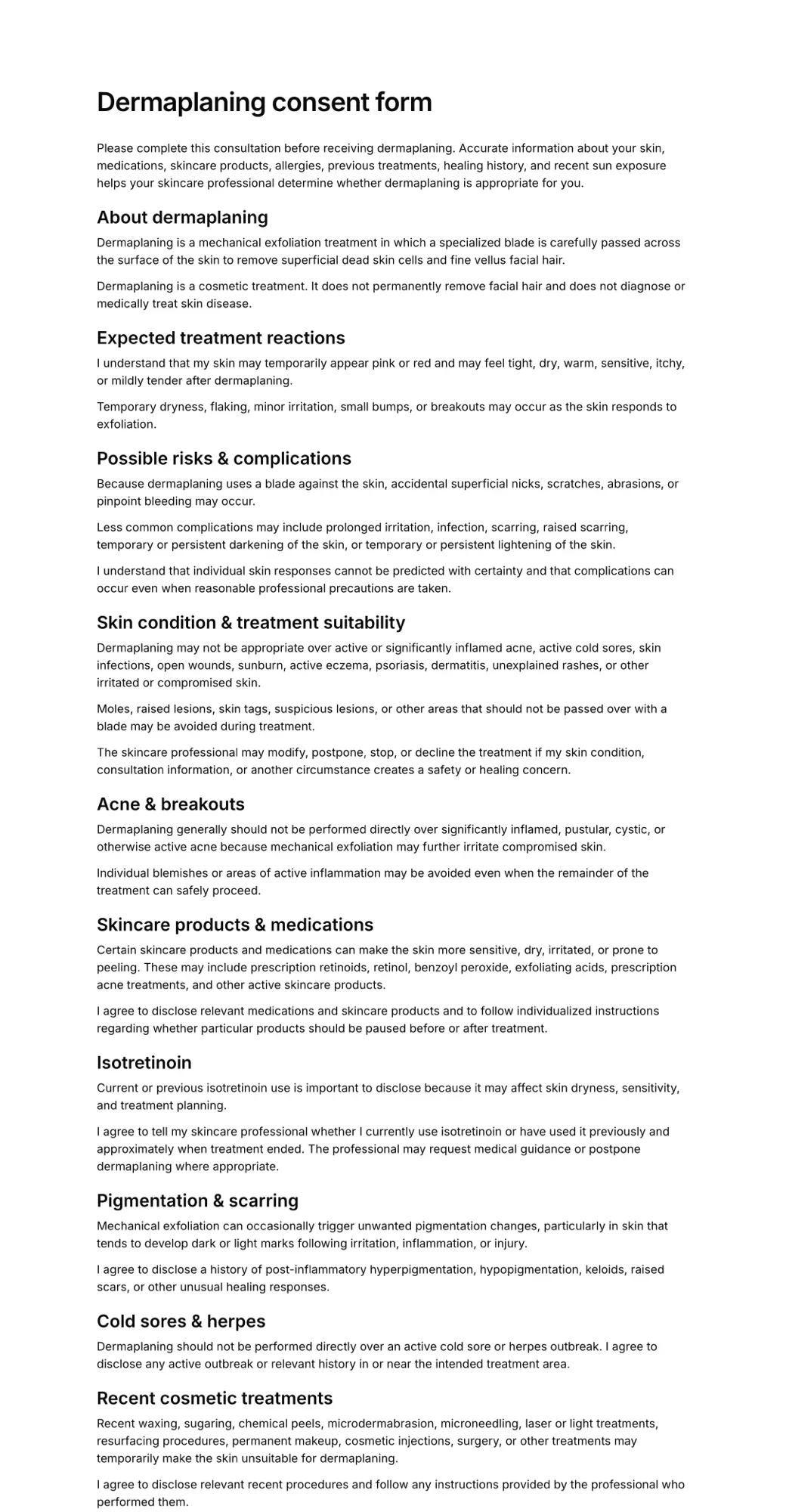
For example, a tattoo consent form may collect age confirmation, health information, procedure consent, and aftercare acknowledgements.
A business that plans to use customer images on its website, social media, or advertising may also need a separate photo consent form.
Events and volunteer activities
Event organisers, charities, community groups, churches, and volunteer programmes can use online waiver forms to communicate:
- Activity risks
- Event rules
- Participant responsibilities
- Emergency procedures
- Photography choices
- Transportation permissions
- Relevant codes of conduct
The correct document will depend on what participants or volunteers are being asked to do.
How to create an online waiver form
The following process can be used to create most digital waiver forms.
1. Define what the waiver covers
Start by identifying the exact activity, service, event, or equipment covered by the form.
Ask practical questions such as:
- What will the customer be doing?
- Where will the activity take place?
- What equipment will they use?
- Will an instructor provide physical guidance?
- Will other participants be involved?
- Are there weather or environmental risks?
- Are children allowed to participate?
- Is transportation included?
- Will customers need to provide medical information?
- Is the waiver for one visit or ongoing participation?
Avoid making the scope unnecessarily broad.
A waiver created for a yoga class should describe yoga participation. A bike rental waiver should address operating the bicycle, traffic, road conditions, safety equipment, and responsibility for the rented bike.
The clearer the scope, the easier it is to identify the risks, responsibilities, and questions that belong in the form.
2. Choose the correct form type
Not every business situation requires the same document.
Liability waiver
A liability waiver generally records that a participant understands and accepts certain risks associated with an activity or service.
Consent form
A consent form records permission for a treatment, procedure, activity, use of personal information, or use of photographs.
Rental agreement
A rental agreement establishes the conditions under which equipment or property is provided to a customer.
Permission slip
A permission slip commonly records permission from a parent or guardian for a child to participate in an activity, trip, or event.
Intake form
An intake form collects information a business needs before providing a service, such as medical history, injuries, allergies, treatment goals, or emergency contacts.
Some businesses need more than one document.
For example, a bike rental company may need both a liability waiver and a rental agreement. A tattoo studio may combine informed consent, health questions, aftercare acknowledgement, and photo permission in one signing process.
Choose the form that reflects the actual decision the customer is being asked to make. You can review AgreeDock’s online waiver and consent form templates to find a suitable starting point.
3. Start with a template or create the waiver with AI
You do not necessarily need to start with a blank page.
A template provides a basic structure that you can adapt to your activity. It can help you identify common sections, participant questions, acknowledgements, and signing fields.
With AgreeDock, you can start with a general liability waiver form template, select a template for your industry, or describe your business and create a first draft with AI.
For example, you might describe your form like this:
We operate a kayak rental business. Customers should acknowledge the risks of paddling, water conditions, weather, equipment use, and late equipment returns.
The generated draft should still be reviewed and customised. AI and templates can help create the first version, but they do not know every detail of your business, insurance requirements, activity, or local law.
4. Write terms for your specific business
The waiver should explain the activity and its relevant conditions in language the customer can understand.
A typical liability waiver may include:
- The business or organisation name
- A description of the activity or service
- An acknowledgement of relevant risks
- A statement of voluntary participation
- Participant responsibilities
- Safety rules
- Assumption-of-risk language
- Appropriate release language
- Emergency or medical provisions
- Parent or guardian terms
- Applicable equipment or cancellation policies
- An electronic-signature acknowledgement
Avoid copying a waiver from an unrelated business.
A waiver written for a climbing gym may contain risks and equipment requirements that do not apply to a massage therapist, tattoo studio, yoga teacher, or bicycle rental company.
Similarly, a form copied from a business in another country or state may refer to laws that do not apply where your business operates.
You can use a template to establish the structure, but each section should be reviewed for your:
- Activity
- Equipment
- Location
- Customers
- Age requirements
- Operating procedures
- Insurance conditions
- Local regulations
Businesses whose activities involve significant physical or financial risk should consider having the final wording reviewed by a qualified local lawyer.
5. Describe the relevant risks
The waiver should describe the main categories of risk associated with the activity or service.
Depending on the business, risks might include:
- Physical exertion
- Strains, sprains, or other injuries
- Slips, trips, and falls
- Contact with other participants
- Collisions
- Use of tools or equipment
- Equipment malfunction
- Traffic conditions
- Water-related hazards
- Weather and environmental conditions
- Allergic or adverse reactions
- Infection
- Temporary or permanent physical effects
- Loss of or damage to personal property
Avoid including a long list of risks that have no connection to the activity.
A more specific form helps the participant understand what they are agreeing to. It can also make the document easier to read than a generic waiver that attempts to cover every imaginable event.
6. Explain participant responsibilities
A good online waiver does not only describe what could go wrong. It also explains what the participant is expected to do.
Depending on your business, participants may be required to:
- Follow staff or instructor directions
- Use equipment only as instructed
- Wear appropriate protective equipment
- Follow safety rules
- Report damaged or unsafe equipment
- Disclose relevant medical conditions
- Stop participating if they experience pain or illness
- Avoid participation while impaired
- Follow local traffic or activity rules
- Return rented equipment on time
- Accept responsibility for deliberate misuse or damage
These responsibilities should reflect your real operating procedures.
Do not include requirements that your staff do not communicate, monitor, or enforce.
7. Add the necessary form fields
After preparing the waiver text, decide what information the participant must provide.
A simple online waiver form may require:
- Full name
- Email address
- Phone number
- Required agreement checkbox
- Electronic signature
- Date signed
Depending on the activity, you might also need:
- Date of birth
- Home address
- Emergency contact
- Relevant medical information
- Allergies
- Existing injuries
- Parent or guardian details
- Child participant details
- Membership number
- Event date
- Equipment identification
- Booking or reservation number
- Photo consent choice
Only collect information that your business genuinely needs.
Every additional field makes the form longer and creates more personal information that the business must handle responsibly.
For example, a beauty treatment business may need to ask about skin conditions, medications, allergies, or recent treatments. A waxing consent form may therefore require more health-related questions than a general event waiver.
8. Place the interactive fields at the end
Avoid interrupting the waiver text with contact fields, checkboxes, and signature elements after every paragraph.
Participants should first be able to read the complete document. The interactive form elements can then be grouped together at the end.
A clear structure is:
- Contact information
- Activity-specific questions
- Required agreement checkbox
- Electronic signature
This keeps the form easier to follow and makes the final action clear.
It also reduces the chance that someone begins signing before they have seen the complete terms.
9. Require active agreement
Do not treat opening the form, viewing the page, or continuing to the next step as automatic acceptance.
Ask the participant to take a clear action that records their agreement.
For example:
I confirm that I have read, understood, and agree to the terms of this waiver.
The checkbox should be required and should not be selected in advance.
The participant should also be able to review the complete document before reaching the checkbox, signature field, and submission button.
For forms with several separate permissions, consider using individual choices.
For example, a tattoo studio might require agreement to the procedure terms but make photography permission optional. Combining both into one required checkbox could make it unclear whether the client had a genuine choice about the use of their images.
10. Add an electronic signature
Place the electronic signature field at the end of the form.
Depending on the signing method, the participant may sign by drawing their signature on a phone, tablet, touchscreen, trackpad, or computer.
The finished record should connect the signature with:
- The participant’s information
- The waiver terms
- The acceptance checkbox
- The signing date
- The relevant version of the form
In the United States, the ESIGN Act generally provides that a signature, contract, or record cannot be denied legal effect solely because it is electronic. The law also addresses retaining electronic records in a form that can be accurately reproduced.
In the European Union, the eIDAS framework provides that an electronic signature cannot be denied legal effect or admissibility as evidence solely because it is electronic. However, only qualified electronic signatures are explicitly given the same legal effect as handwritten signatures across all EU member states.
Recognition of electronic signatures does not automatically make every waiver enforceable.
The underlying document must still comply with applicable rules relating to contracts, liability releases, consumer rights, minors, and the activity being provided.
11. Test the online waiver form
Complete the form yourself before sending it to customers.
Test it on both desktop and mobile devices. Many participants will open the waiver from an email, text message, WhatsApp message, booking confirmation, or QR code, so the mobile experience is especially important.
Check that:
- The waiver text is readable
- Headings and paragraphs are properly spaced
- Important terms are clearly displayed
- All required questions work
- Optional and required fields are easy to distinguish
- The agreement checkbox cannot be skipped
- The signature field works on a touchscreen
- The form cannot be submitted without required information
- The signing date is recorded
- The completed waiver contains the correct details
- The signed record can be found and downloaded
- The correct version of the waiver is preserved
Ask someone unfamiliar with the form to test it as well.
They may notice confusing questions, unexplained terms, or instructions that seem obvious to the person who created the document.
12. Publish and share the waiver
Once the form has been reviewed and tested, publish it and decide when customers should sign.
Send a signing link
Send the waiver by:
- Text message
- Booking confirmation
- Registration confirmation
- Customer portal
- Direct message
For appointments, rentals, and scheduled activities, include the link in the booking confirmation. This gives customers time to review and sign the waiver before arriving.
Display a QR code
Place a QR code:
- At reception
- Near the entrance
- Beside the equipment counter
- On an event poster
- On printed registration materials
- Inside a rental location
- At a check-in desk
Customers can scan the code and sign from their own phones without installing an app.
A QR code can also serve as a backup for anyone who did not complete the form in advance.
Collect signatures in person
Keep the form available on a tablet, phone, or reception computer for walk-ins and last-minute participants.
Customers should still have a reasonable opportunity to read the document. Avoid rushing someone through the waiver simply because the activity is about to begin.
Add it to your booking or registration workflow
Make the waiver a standard step in your customer process.
For example:
- The customer books an activity
- The customer receives the waiver link
- The customer reviews and signs the waiver
- Staff confirm that the waiver is complete
- The customer participates
A consistent process reduces the chance that a required form will be missed.
What should an online waiver form include?
The exact content depends on your business, but most online waiver forms include several core sections.
1. Business and participant details
Identify the business receiving the waiver and the person signing it.
The completed document should make it clear:
- Who agreed to the terms
- Which business provided the form
- Which activity or service was covered
- When the form was signed
2. Description of the activity
Explain which service, event, rental, treatment, or activity is covered.
Avoid vague wording when a more specific description would help the participant understand the scope of the agreement.
3. Acknowledgement of risks
Describe the main risks associated with the actual activity.
The purpose is to help participants make an informed decision, not to overwhelm them with every theoretical possibility.
4. Participant responsibilities
Explain what the customer must do to participate safely or use the equipment responsibly.
5. Assumption-of-risk or release terms
This section records the risks and responsibilities the participant is being asked to accept.
Because the legal effect of release language differs between jurisdictions, important clauses should be reviewed locally rather than assuming that one generic paragraph will work everywhere.
6. Optional permissions
Some forms include additional permissions that are related to the activity but are not required for participation.
Examples include:
- Photography permission
- Marketing consent
- Emergency medical authorisation
- Transportation permission
- Permission to contact an emergency person
- Permission to participate in optional activities
Where appropriate, give the participant a clear choice rather than combining every permission into one mandatory acceptance.
7. Agreement checkbox
Use a required checkbox to document active agreement to the waiver terms.
The wording should be direct and positioned near the signature field.
8. Signature and date
Collect the participant’s electronic signature and the date on which the form was completed.
When a child is participating, collect the appropriate parent or guardian details and use a form designed for minors.
How to make an online waiver easier to complete
A waiver can contain important terms without creating a frustrating customer experience.
Use a clear structure
Break the document into logical sections with descriptive headings.
Avoid presenting the entire waiver as one large paragraph or wall of text.
Use straightforward language
Complex legal language can make a waiver difficult for customers to understand.
Use clear sentences wherever possible while preserving any clauses that your lawyer or insurer requires.
Make it mobile-friendly
Customers should be able to read, answer, and sign the form comfortably from a phone.
Buttons, checkboxes, and input fields should be large enough to use on a touchscreen.
Avoid unnecessary questions
Every additional field creates friction.
Only request information that supports the activity, signing record, safety process, or business requirement.
Explain why sensitive information is needed
When asking for medical details, emergency contacts, or other sensitive information, explain why it is relevant to the service.
Let customers sign before arriving
Sending the waiver in advance reduces reception queues and gives customers more time to review the terms.
Keep form elements together
Place contact fields, activity questions, the acceptance checkbox, and the signature at the end of the document instead of interrupting the waiver text.
How to manage signed online waivers
Creating the form is only one part of the process. Your business also needs a reliable way to organise and retrieve completed records.
A practical digital waiver system should make it possible to:
- Confirm whether a customer has signed
- Search by participant name or email
- View the signing date
- Retrieve the terms accepted
- Identify the form version used
- Download the completed waiver
- Limit access to authorised people
- Apply an appropriate retention policy
Do not overwrite previously signed records when you update the form.
The completed document should preserve the version that each participant reviewed and accepted.
For example, suppose you add a new safety rule in September. A waiver signed in June should still show the June terms rather than being silently updated to display the new version.
Retention periods may depend on:
- Local limitation periods
- Insurance requirements
- The type of activity
- Participant age
- Privacy obligations
- Industry-specific regulations
- Whether an incident occurred
Create a documented retention policy rather than keeping every record indefinitely without review.
Online waivers versus paper waivers
Both paper and online waivers can record participant agreement, but digital forms can simplify the process for businesses that collect signatures regularly.
Paper waivers | Online waivers |
|---|---|
Usually completed at the business | Can be completed before arrival |
Require physical storage | Stored as digital records |
Can be difficult to search | Searchable by customer details |
Handwriting may be difficult to read | Information is entered into structured fields |
Copies may need to be scanned | Signed records can be downloaded |
Updated versions must be reprinted | The published form can be updated |
Staff must check fields manually | Required fields can prevent incomplete submissions |
Moving online does not remove the need to create suitable terms, protect customer information, or maintain a reliable process. It simply provides a more convenient way to distribute, sign, and organise the forms.
How to create an online waiver with AgreeDock
AgreeDock helps businesses create, share, sign, and manage online waiver forms without relying on paper documents.
1. Create your form
Start with an industry-specific template, use the general liability waiver form, or describe what your business does and create a first draft with AI.
Add your:
- Business details
- Waiver terms
- Participant questions
- Agreement checkbox
- Signature field
2. Share it with customers
Publish the form and share it using:
- A direct signing link
- A QR code
- A phone or tablet at your business
Customers can review and sign from their own devices.
3. Collect and manage signatures
See who has signed, search customer records, and download completed waiver PDFs when needed.
You can also update the published form while retaining the version attached to previously signed records.
Browse all digital waiver, consent form, intake form, and rental agreement templates to find a starting point for your business.
Frequently asked questions
How do I create an online waiver form?
Start with an online waiver template or create a new document. Add your business details, describe the activity and its risks, explain participant responsibilities, and add the necessary contact fields.
Finish the form with a required agreement checkbox and an electronic signature field. Test the complete signing process on a mobile device before sharing it with customers.
What information should an online waiver collect?
A basic online waiver normally collects the participant’s name, contact information, agreement to the waiver terms, electronic signature, and signing date.
Depending on the activity, you may also need an emergency contact, date of birth, health questions, parent or guardian details, booking information, or details about rented equipment.
Only collect information that your business genuinely needs.
Can I use an online waiver template?
Yes. An online waiver template can provide a useful starting structure, but it should be customised for your business, activity, risks, participants, and applicable laws.
Avoid publishing a template without checking whether every section applies to your situation.
Are online waiver forms legally binding?
An online waiver may be legally binding, but using an electronic signature does not guarantee that every clause will be enforceable.
Its effect may depend on the wording, how clearly the terms were presented, whether agreement was voluntary, the identity and capacity of the signer, the type of claim, and the laws that apply in the relevant jurisdiction.
Can customers sign a waiver on their phones?
Yes. A mobile-friendly online waiver can be reviewed and signed from a phone without printing or scanning a document. Customers can receive a signing link before arriving or scan a QR code at the business location.
How can I send an online waiver to customers?
You can share a waiver using email, text message, WhatsApp, a booking confirmation, a customer portal, or a direct signing link.
You can also display a QR code or provide a tablet for in-person signing.
Should customers receive a copy of the signed waiver?
Providing access to a completed copy supports transparency and allows customers to retain the terms they accepted. Your business should also preserve an accurate and retrievable signed record.
Can a parent sign an online waiver for a child?
A parent or guardian can complete consent and waiver forms relating to a child’s participation. However, the extent to which an adult can release particular claims on behalf of a minor varies by jurisdiction.
Businesses working with children should use a dedicated minor waiver and have the final document reviewed for local requirements.
Do customers need to sign a new waiver every time?
It depends on the activity, wording, business procedures, insurance requirements, and applicable law. Businesses may request a new waiver for every appointment, every booking, annually, or whenever the terms or activity change.
For example, a tattoo studio may collect a new consent form for each procedure, while a gym might renew its member waiver periodically.
Is an online waiver enough to protect my business?
No waiver provides complete protection against every possible claim.
A waiver should be one part of a broader risk-management process that includes suitable insurance, trained staff, safe equipment, clear procedures, and responsible business operations.
Start collecting waiver signatures online
An online waiver form gives customers a convenient way to review your terms and sign before an activity begins. It also helps your business maintain more consistent and accessible records than a paper-based process.
Start with an online waiver template, adapt it to your business, test the signing experience, and share it with customers using a link or QR code.
With AgreeDock, you can create your form, collect electronic signatures, search completed customer records, and keep signed waiver PDFs organised in one place.
Try Liability waiver form template for free
Create Liability waiver form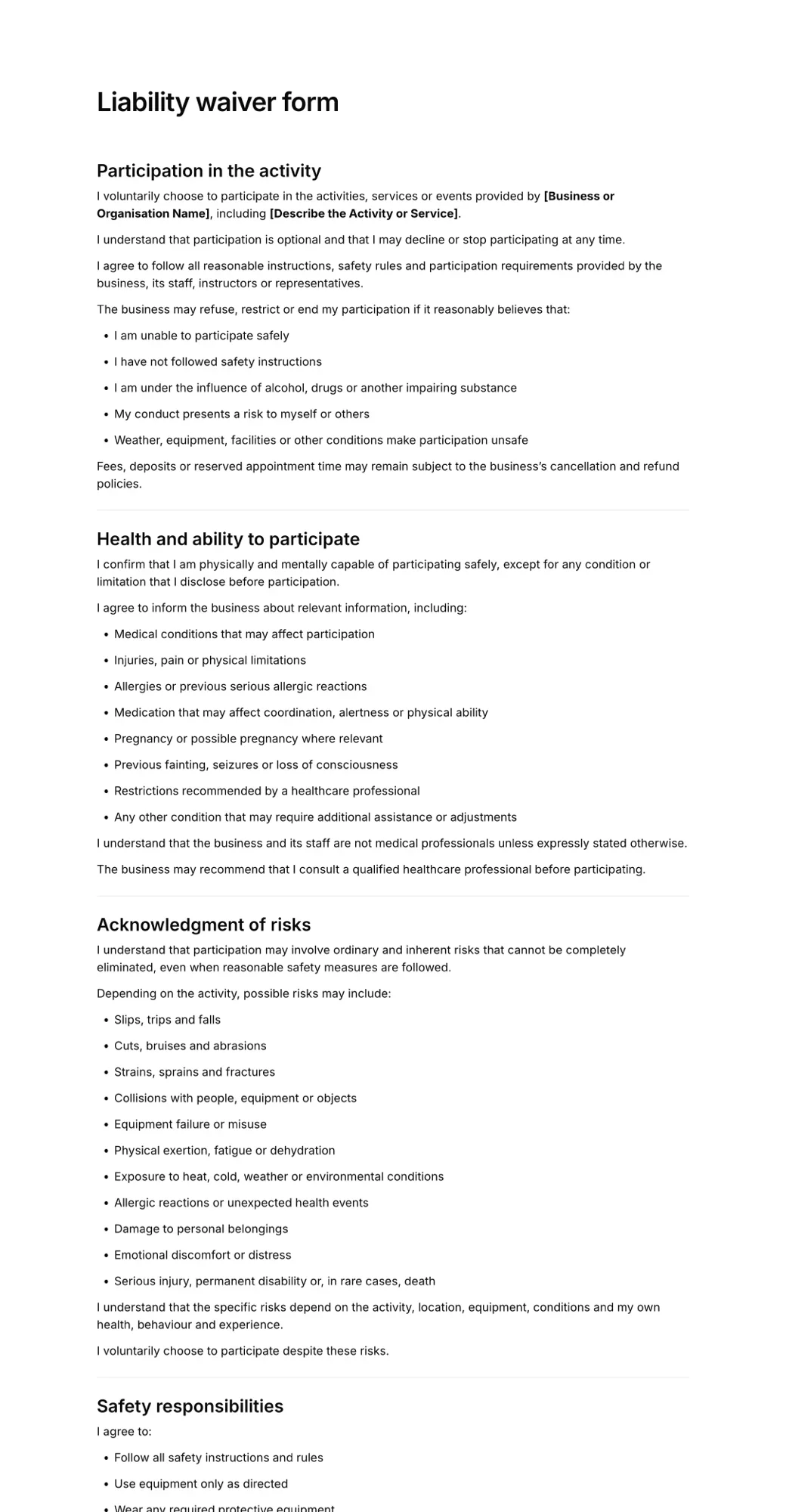
Sign here
