
Digital waiver software
Get every customer signed and ready
Create digital waivers, consent forms, and rental agreements. Share them by link or QR code and keep every signed record securely in one place.
- Ready in 5 min
- Add your details
- Collect signatures
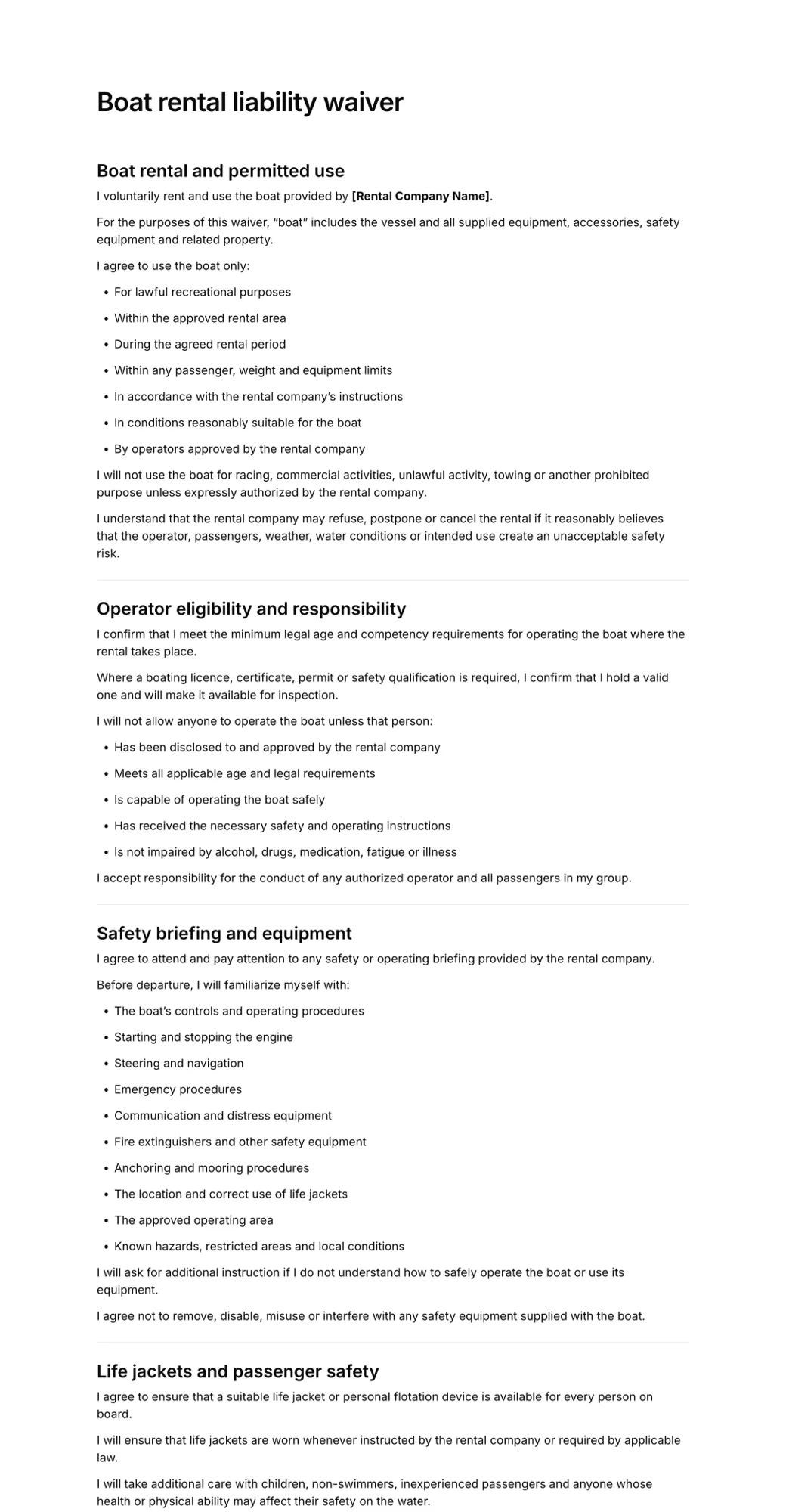


How to create digital liability waiver
- 1
Create with AI or pick a template
Describe the form you need and let AI create it, or start with a liability waiver, consent form, or rental agreement template. Add your business details, questions, terms, and branding.
- 2
Share it with customers
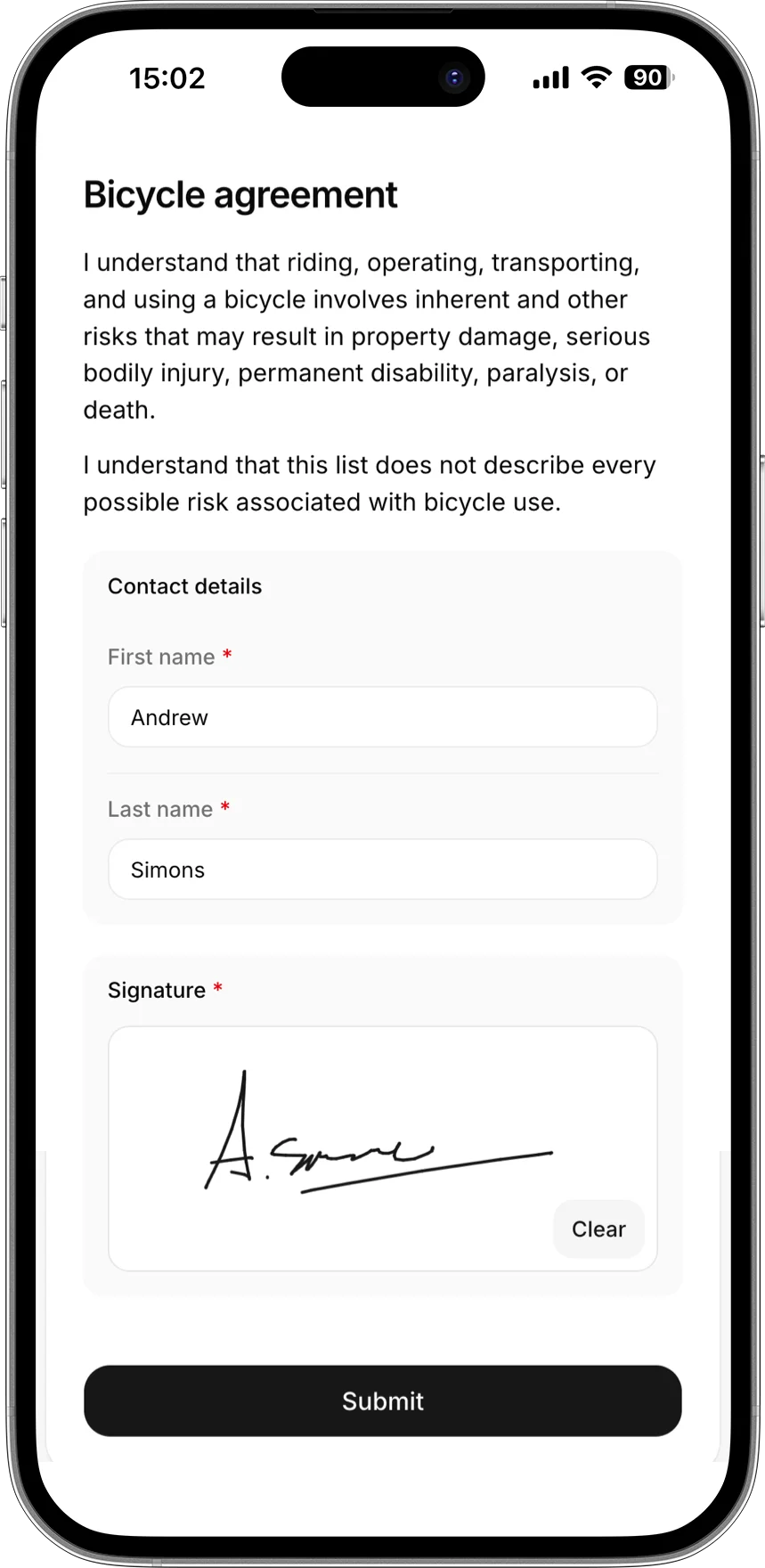
Send a signing link, sign in person, or display a QR code for customers to scan.
- 3
Collect and manage signatures
See who has signed, search customer records, and download complete signed PDFs whenever you need them.
Everything you need to move away from paper waivers
Share anywhere
Send a signing link or display a QR code.
Sign on any device
Customers sign from phone, tablet, or computer.
Find any record
Search customers and download signed PDFs instantly.
Simple pricing
Start for free, upgrade when you need more signatures.
Free
For trying AgreeDock or collecting occasional signatures.
$0
/month
- 10 signatures per month
- 1 active waiver
- Signing link and QR code
Pro
For businesses collecting waivers regularly.
$10
$15
/month
- Unlimited signatures
- Unlimited waivers
- Signing link and QR code
- Expiration tracking
- Signed PDF records
- Priority support
Frequently asked questions
What is digital waiver software?
Digital waiver software allows businesses to create, send, sign, and securely store liability waivers, consent forms, release forms, and rental agreements online. It replaces paper forms with a faster process that customers can complete from their phone, tablet, or computer.
How do online waivers work?
Create or customise a waiver, then share it with customers using a link or QR code. Customers enter their details, accept the terms, and add their electronic signature. AgreeDock then stores the completed waiver and creates a downloadable signed record
Are digital waivers legally binding?
Electronic signatures are recognised in many countries, including under the ESIGN Act and UETA in the United States. However, whether a waiver is enforceable also depends on its wording, presentation, local laws, and the circumstances in which it was signed. AgreeDock provides the signing and recordkeeping tools, but templates do not constitute legal advice.
Can I use my own liability waiver?
Yes. You can add waiver language supplied by your business or legal adviser, or customise an AgreeDock template for your activity. When you update a published waiver, previously signed records should continue to preserve the version that each customer accepted.
Can customers sign a waiver using a QR code?
Yes. Every published waiver can have a QR code that customers scan using their phone. Display it at reception, attach it to rental equipment, include it on printed materials, or use it for walk-in customers who have not signed in advance. QR-code signing is commonly used alongside email and pre-arrival links to reduce delays at check-in.
Can customers sign before they arrive?
Yes. Send the online waiver link through email, text message, a booking confirmation, or your website. Customers can complete it before their rental, class, appointment, tour, or event, helping you see who is ready before check-in begins.
Can I download signed waivers as PDFs?
Yes. Each completed waiver can generate a PDF containing the waiver text, customer responses, signature, date signed, and document version. Businesses can search for previous submissions and download the relevant signed record when needed.
Is AgreeDock only for liability waivers?
No. You can also use AgreeDock for consent forms, participant releases, rental agreements, safety acknowledgements, permission forms, photo releases, and other documents that customers need to review and sign.
How much does online waiver software cost?
AgreeDock is free for up to 10 signatures each month. The Unlimited plan costs $15 per month or $120 per year and includes unlimited signatures and waiver forms, without per-signature fees.