
For activity businesses
Activity waiver software
Get every guest signed before they reach the front desk: waivers sent with the booking, a QR code at reception, and a list of everyone who has signed.
- Free to start
- Sign by link or QR code
- Every signed form on file

How activity businesses use AgreeDock
Signed before arrival
Add the waiver link to booking confirmations so groups arrive already signed and check-in moves faster.
QR codes at reception
Walk-ins and late signers scan a QR code on a sign or poster and complete the waiver on their phone.
Parents signing for children
Add fields for a parent or guardian to sign for a child's participation.
Find signed waivers
Your Signatures list shows every signer, the waiver they signed and when, newest first.
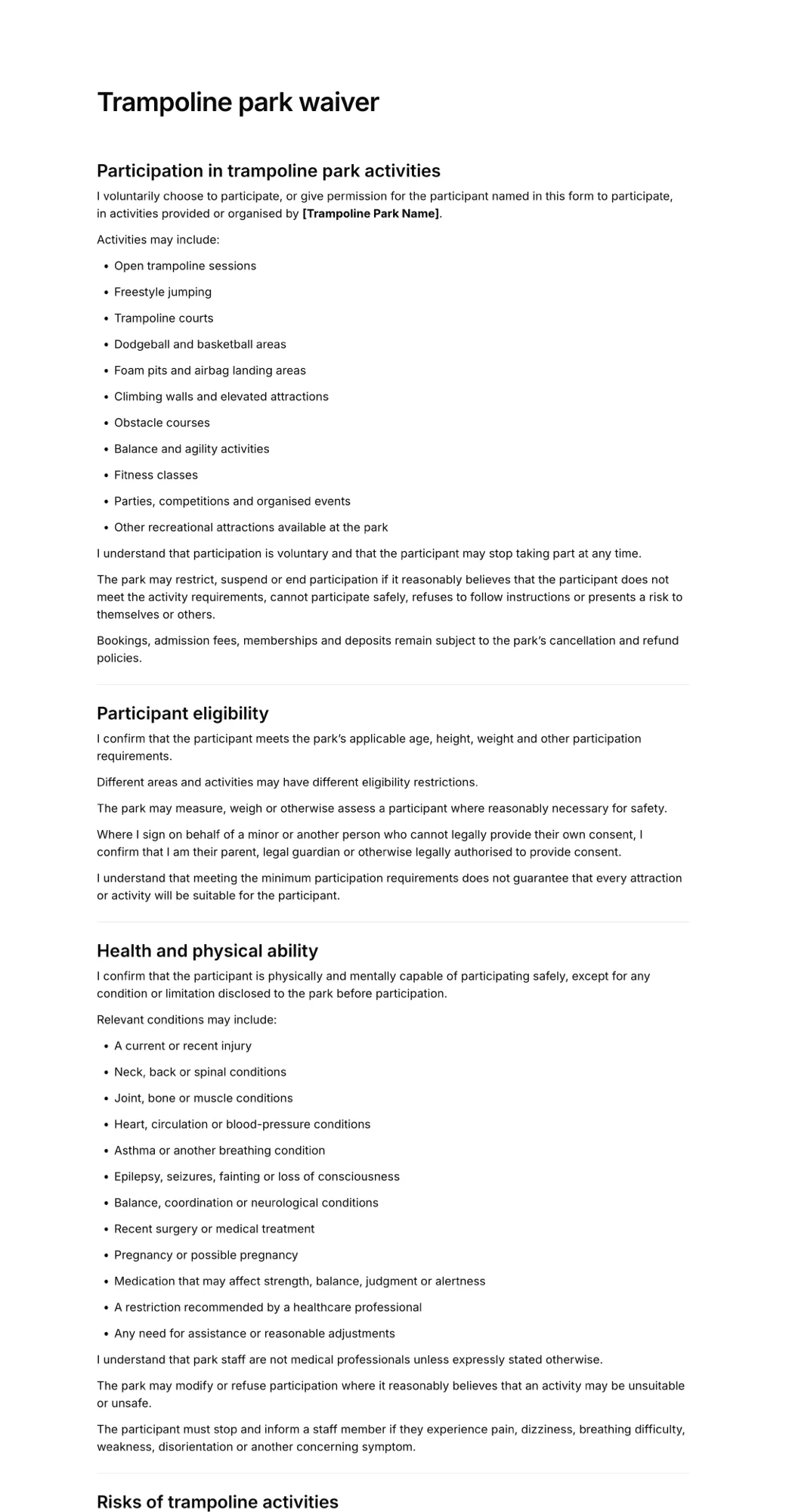
Live signing example
See what your clients sign
This is the real trampoline park waiver template in the same signing page your clients use. Fill it in, tick the boxes and draw a signature with your mouse or finger. Nothing is sent.
- Opens in any browser, no app to download
- Works on phones, tablets and computers
- Signature drawn with a finger or mouse
- Each signed form keeps the exact version agreed to
How it works for activity businesses
- 1
Create your activity waiver
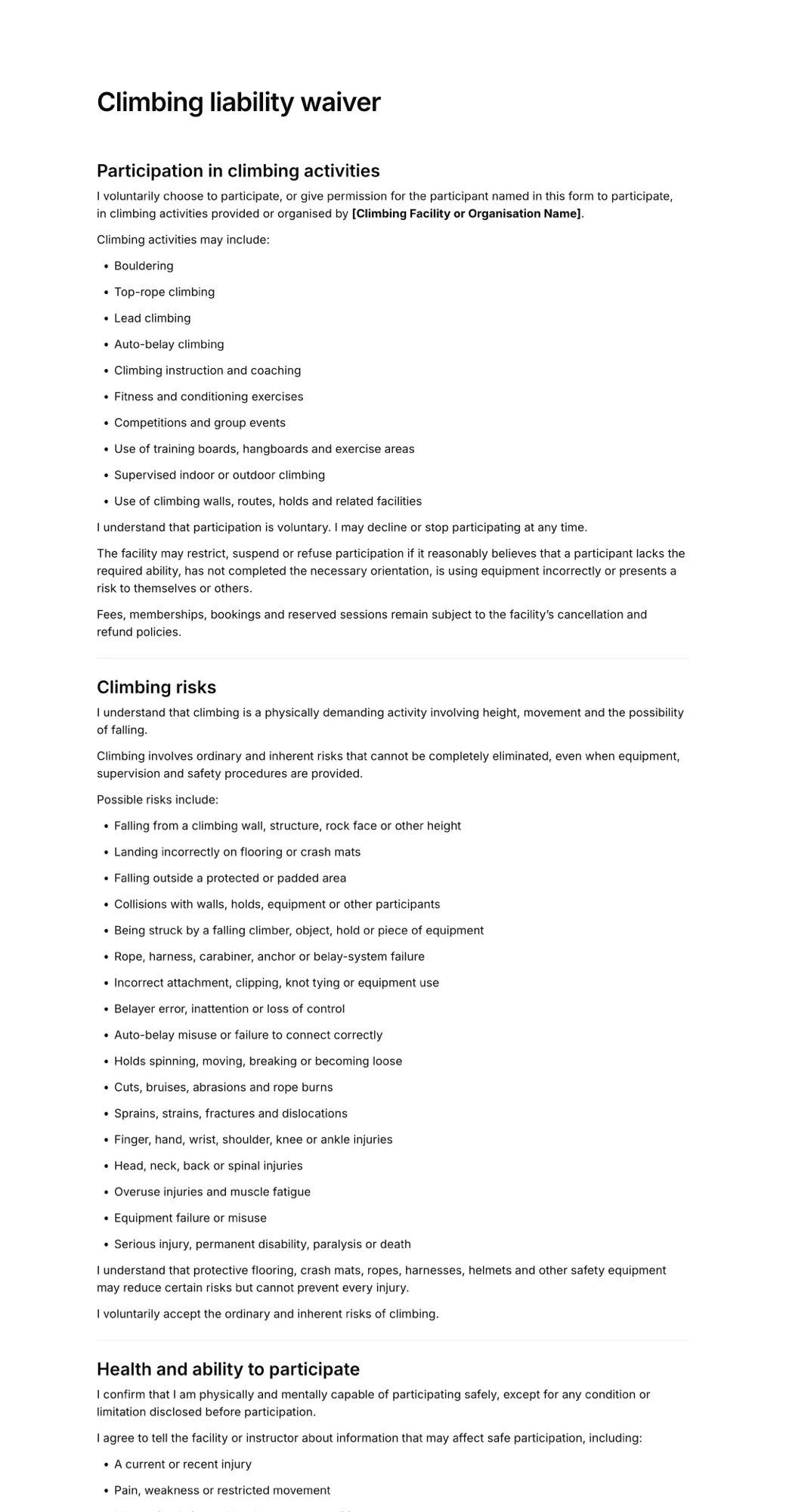
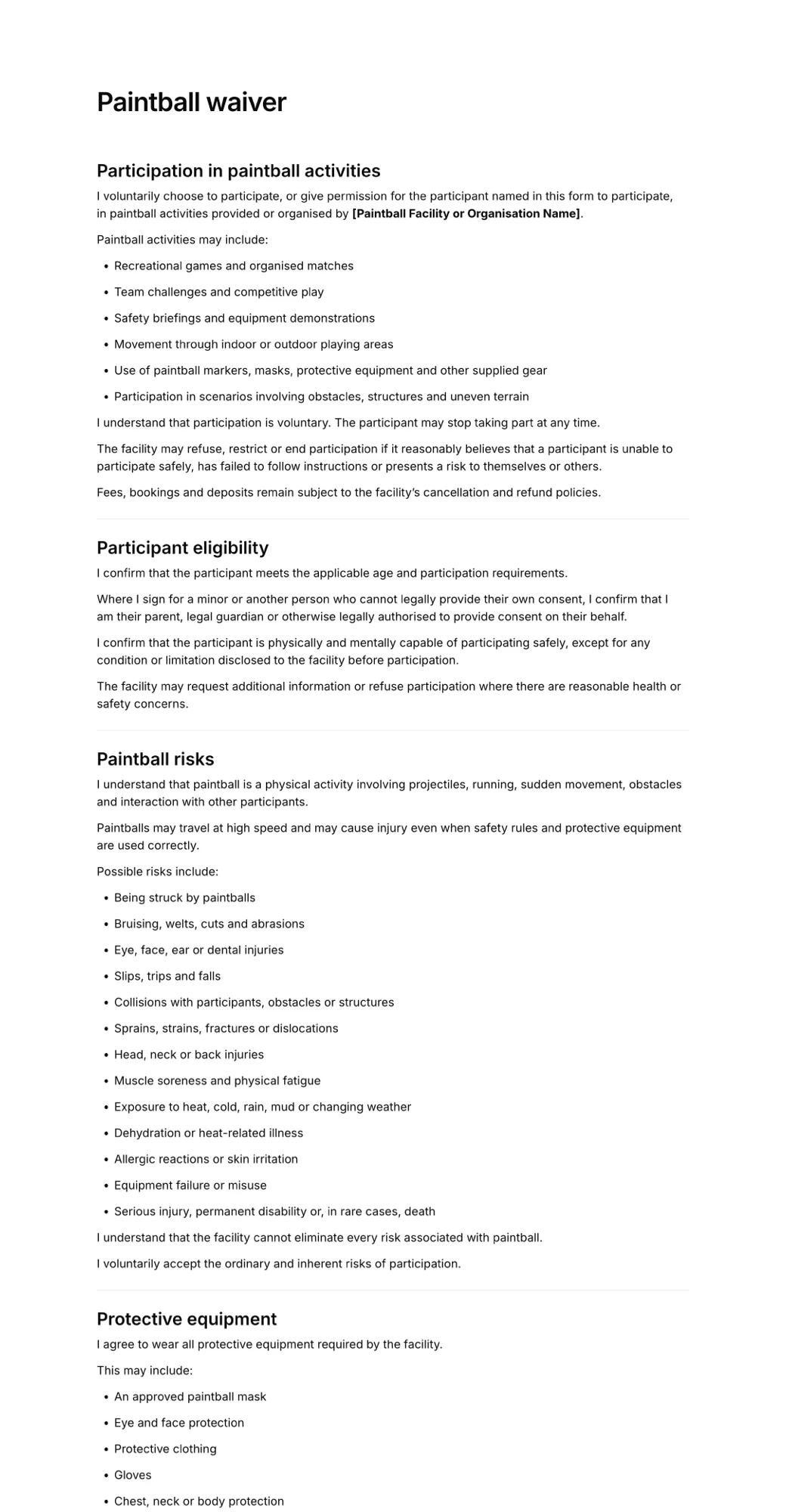
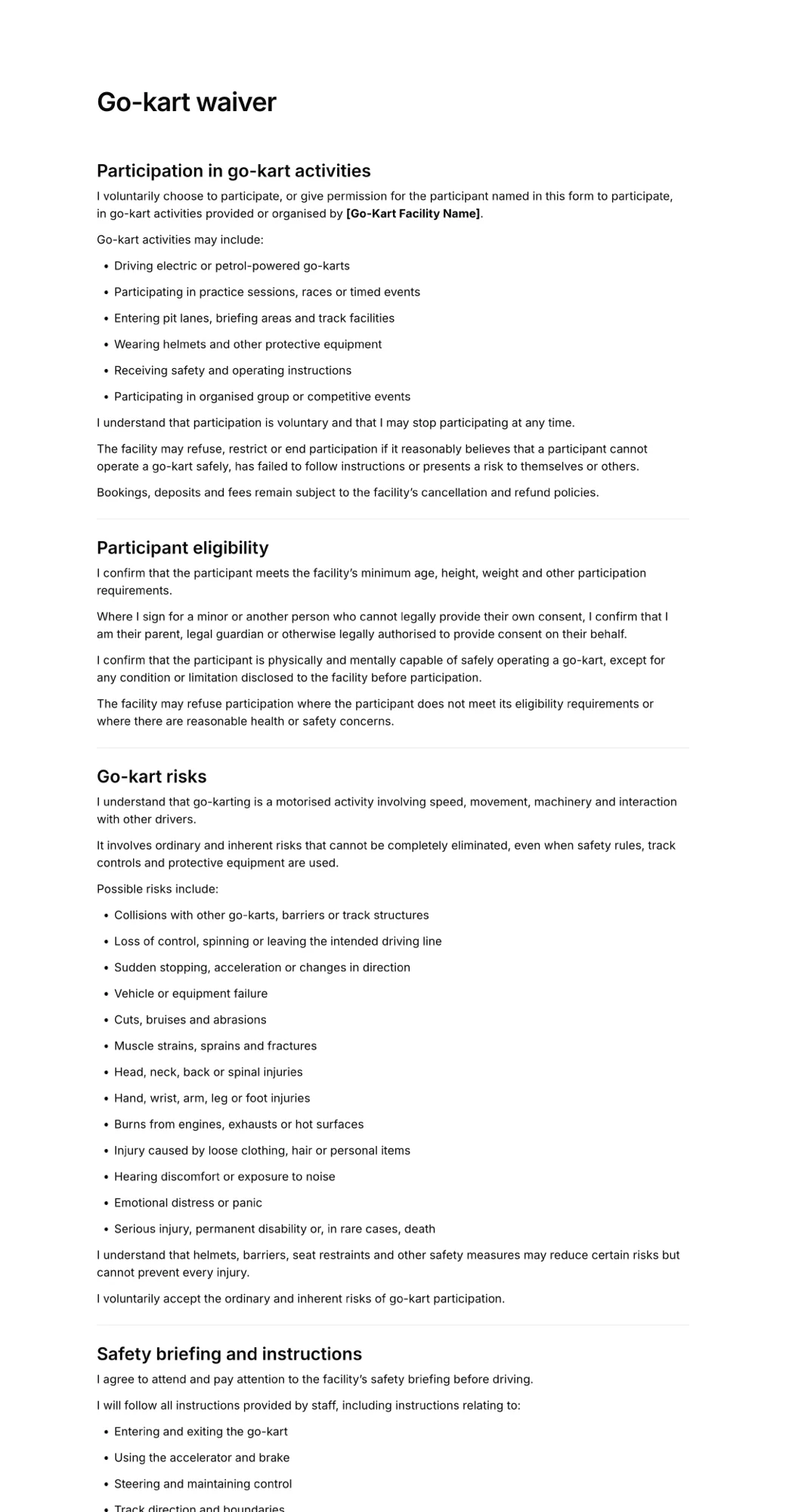
Start from a trampoline, climbing, paintball or go-kart waiver, or generate one with AI for your attraction.
- 2
Share before and at the venue
Send the link with bookings and display the QR code at reception, on the queue line or on your website.
- 3
Confirm at check-in
Check the Signatures list for a guest's name before they join the session.
Share a QR code, collect signatures
Every form gets its own signing link and QR code. As clients sign, each form appears in your Signatures list with their name, answers and the exact wording they agreed to.
- Link for confirmations, emails and messages
- QR code for the counter or front desk
- Newest signatures first in your list
Scan to sign
Trampoline park waiver
app.agreedock.com/sign/x7k2p9

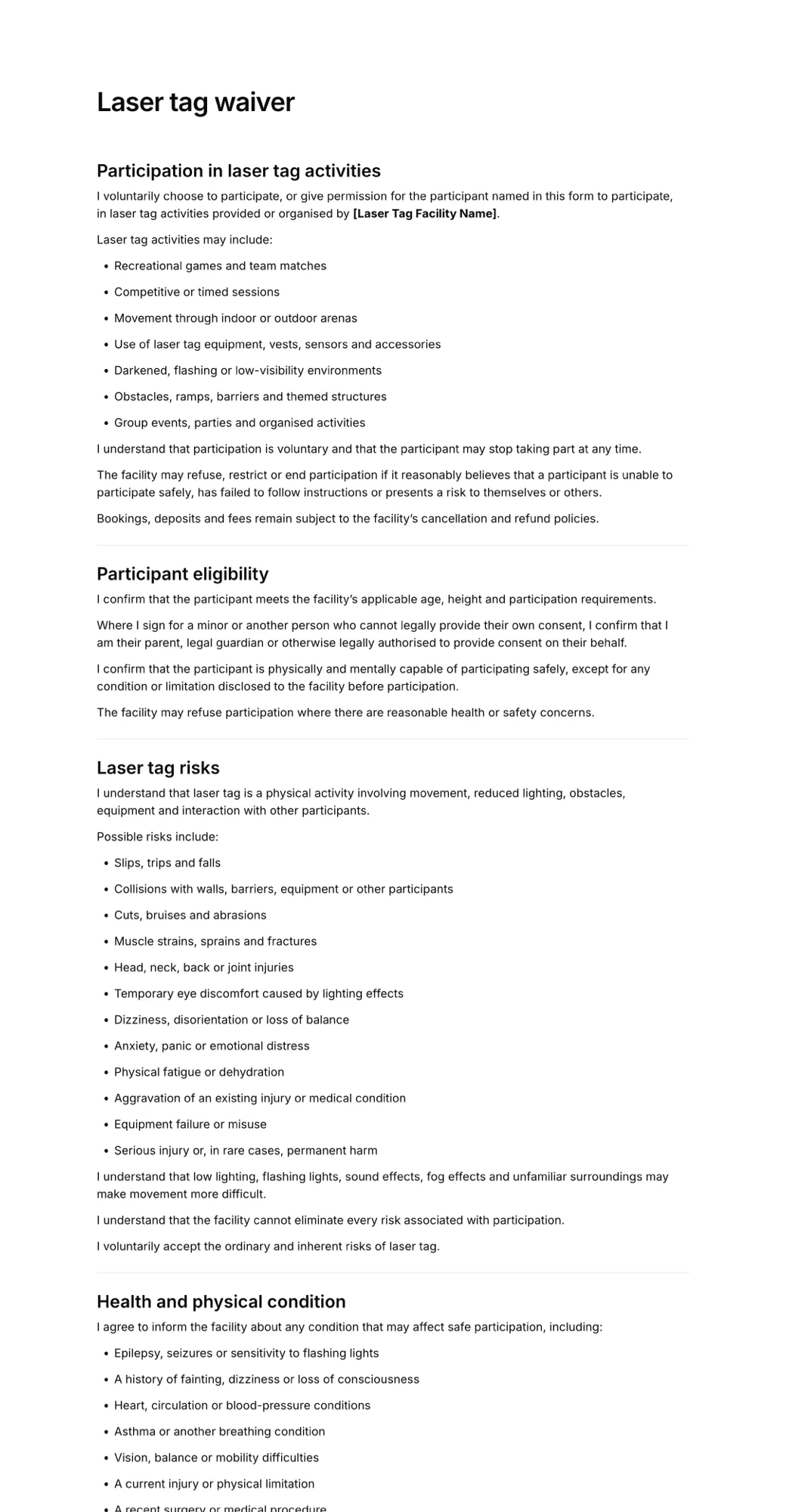
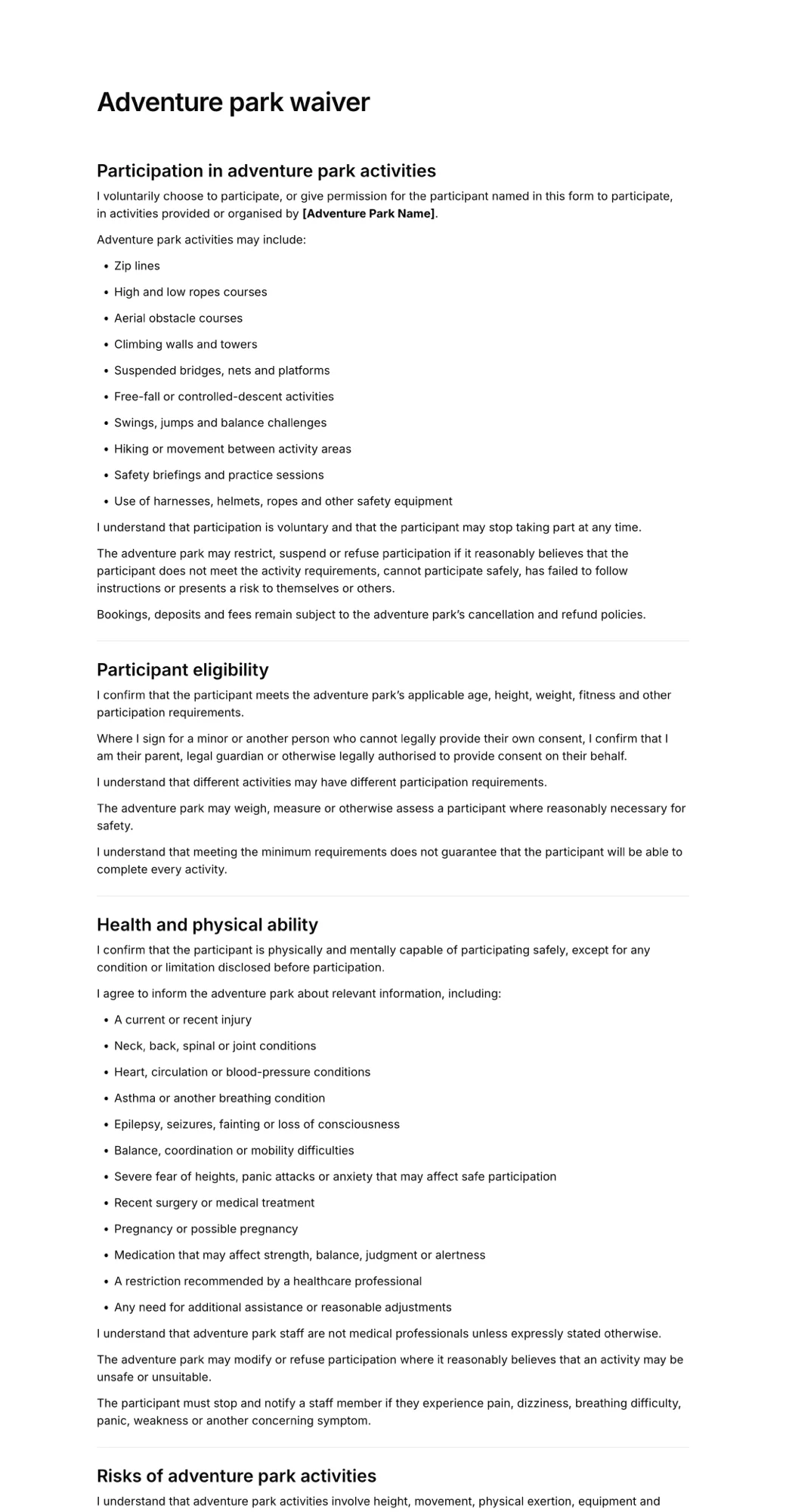
Templates for activity businesses
Start from a ready-made form and edit the wording, questions and fields to match your business.
Simple pricing
Start for free, upgrade when you need more signatures.
Free
For trying AgreeDock or collecting occasional signatures.
$0
/month
- 10 signatures per month
- 1 active waiver
- Signing link and QR code
Pro
For businesses collecting waivers regularly.
$10
$15
/month
- Unlimited signatures
- Unlimited waivers
- Signing link and QR code
- Expiration tracking
- Signed PDF records
- Priority support
Frequently asked questions
Can guests sign the waiver before they arrive?
Yes. Add the form's signing link to your booking confirmation or website. Guests sign on any device and appear in your Signatures list straight away.
How do walk-in guests sign?
Display the waiver's QR code at reception or in the queue. Guests scan it with their phone camera and sign in a couple of minutes.
Can a parent sign for a child?
Yes. Include fields for the child's name and the parent or guardian's details. Check local rules on what a parent can agree to for a minor.
Does AgreeDock sell tickets or manage bookings?
No. AgreeDock only handles waivers and signatures and works alongside your booking or ticketing system.
Do we need tablets at reception?
No. Most guests sign on their own phones by link or QR code. You can still open the form on a venue tablet if you prefer.
How much does activity waiver software cost?
AgreeDock is free for up to 10 signatures a month. Pro costs $15 a month, or $10 a month billed yearly, with unlimited signatures, so busy weekends don't cost extra.
Other industries
- Tattoo & piercing studiosConsent before the needle: signed ahead of time or by QR code at the counter.
- Gyms & fitness studiosNew-member waivers, intake forms and class sign-ups, signed online.
- Beauty salons & estheticiansConsultation and treatment consent forms for every service on your menu.
- Yoga & Pilates studiosStudent intake and participation waivers for classes, workshops and retreats.
- Camps & retreatsParticipant information and guardian consent collected before arrival.
- Rental businessesRental terms and equipment responsibilities signed before pick-up.
Get your activity businesses paperwork signed
- Pick a template
- Share the link
- Collect signatures