
For tattoo & piercing studios
Tattoo consent form software
Send consent forms before the appointment, put a QR code on the counter for walk-ins, and keep every signed form in one place instead of a binder.
- Free to start
- Sign by link or QR code
- Every signed form on file

How tattoo & piercing studios use AgreeDock
Signed before the appointment
Add the signing link to your booking confirmation so clients read the terms at home, not while the stencil is going on.
Walk-in QR code
Put the QR code on the counter. Walk-ins scan it, fill in the form on their phone and sign in a couple of minutes.
Consent templates
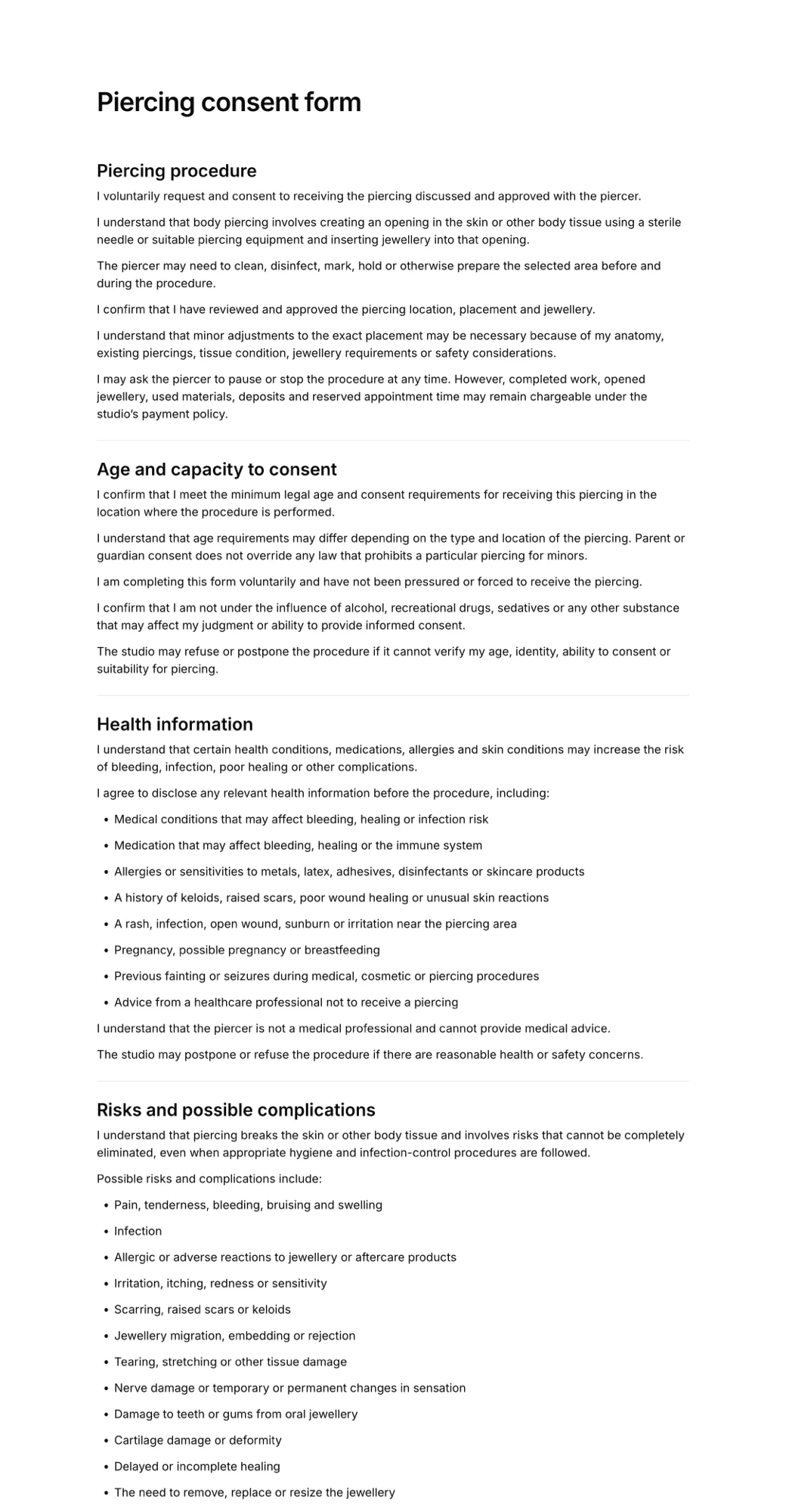
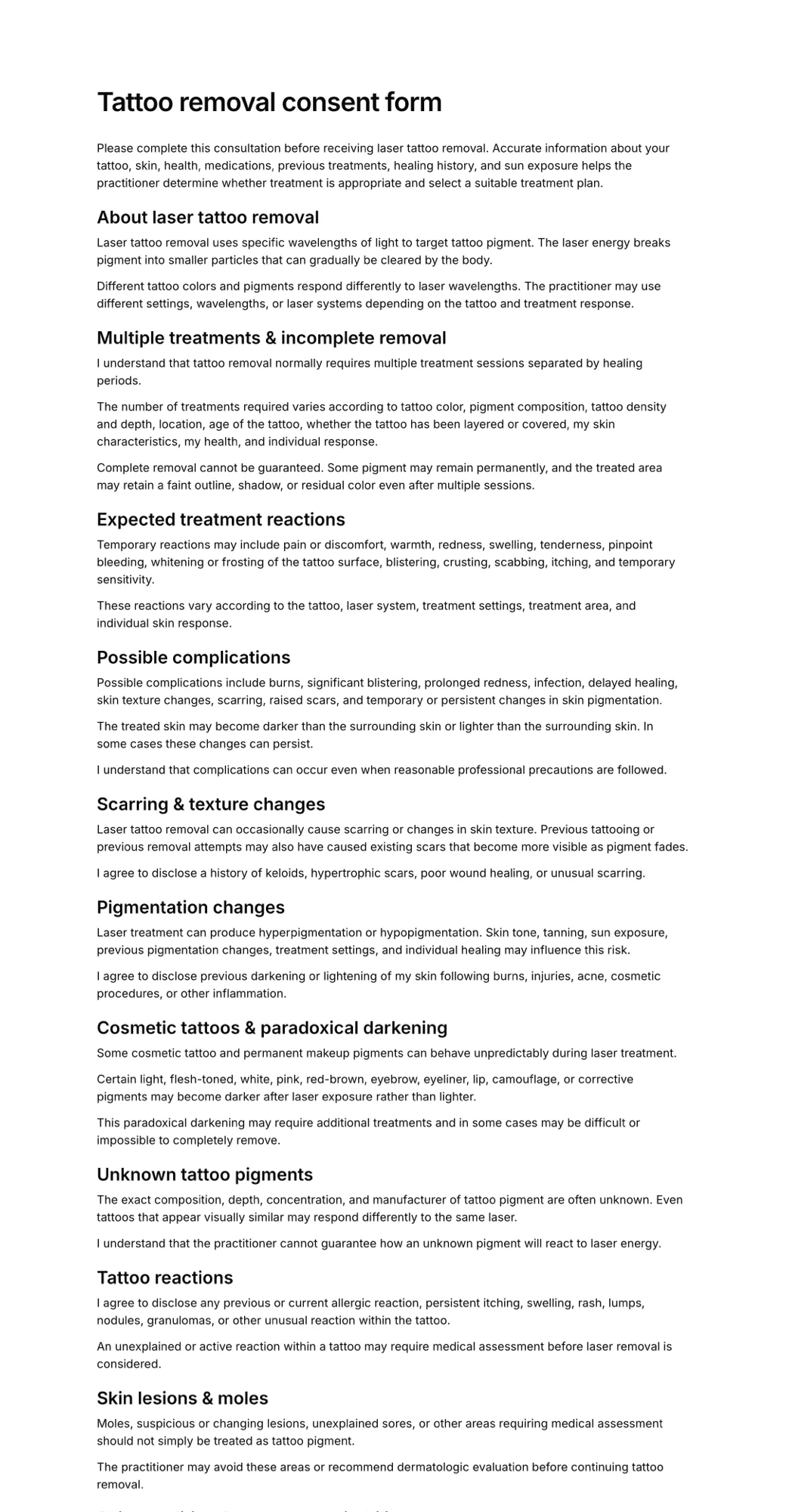
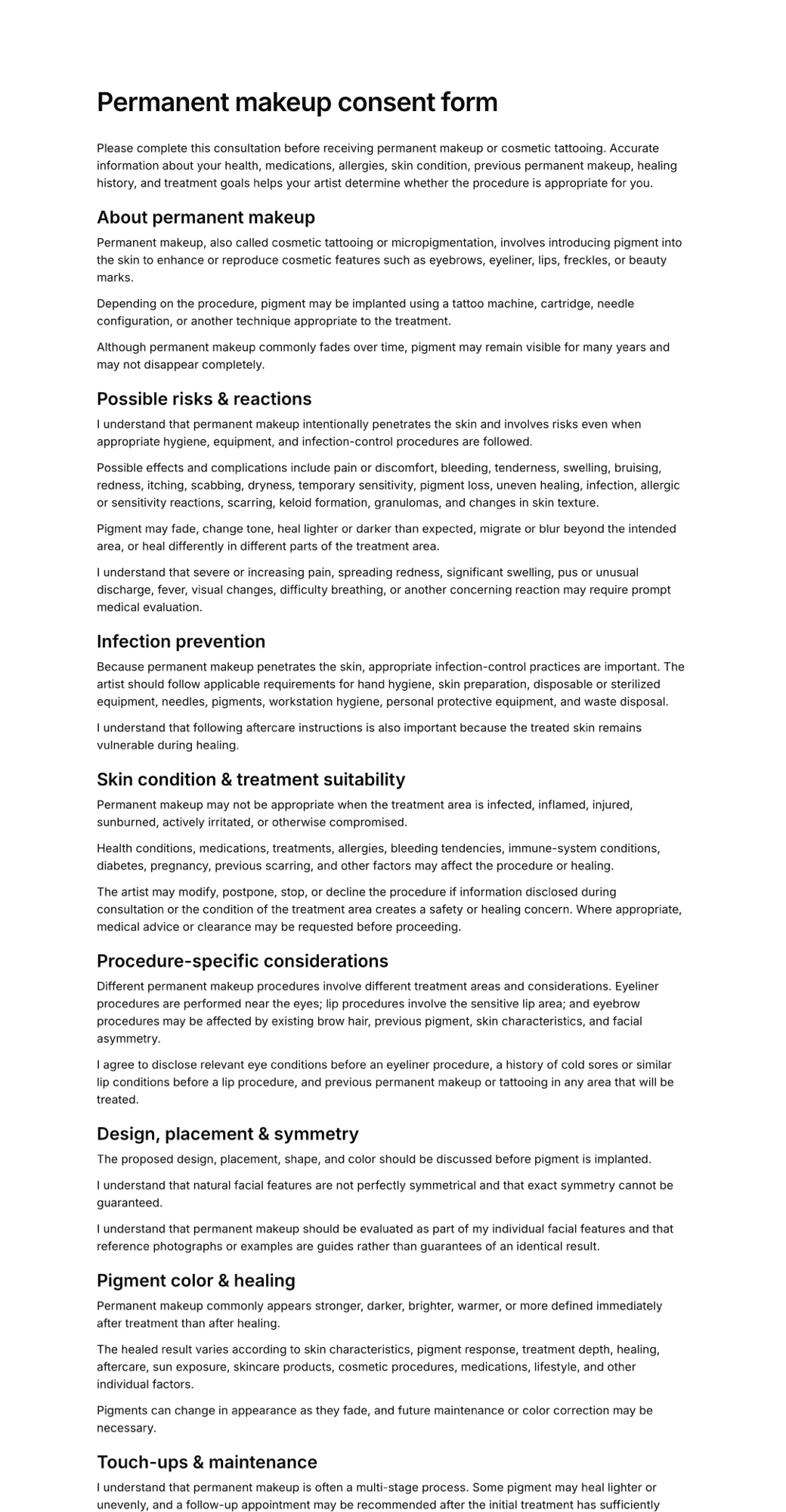
Start from tattoo, piercing, removal or permanent makeup consent templates, then add your own age checks, health questions and aftercare.
Records you can pull up
Every signed form is listed with the client's name, form and time, and shows exactly the version they agreed to.
Live signing example
See what your clients sign
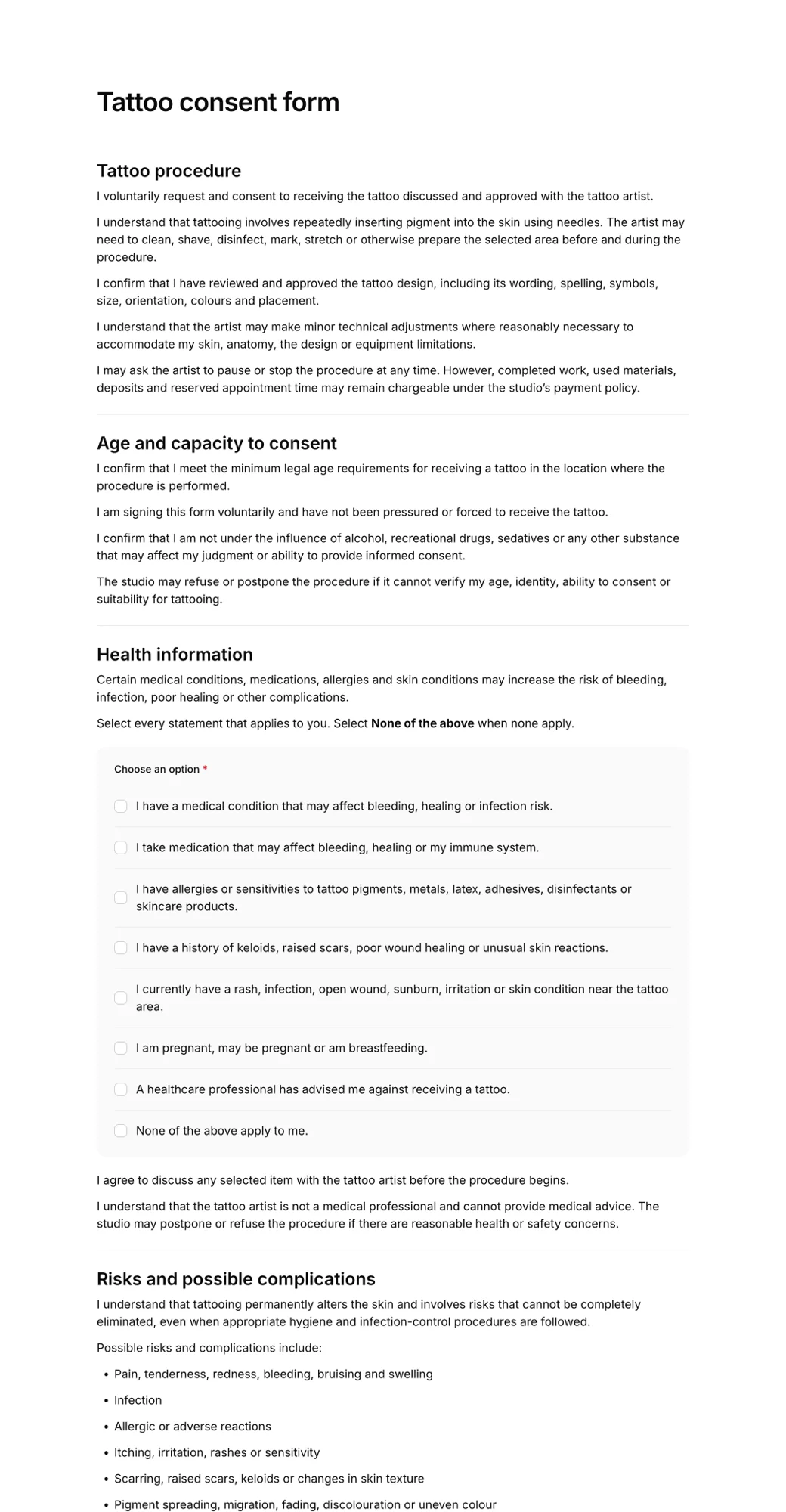
This is the real tattoo consent form template in the same signing page your clients use. Fill it in, tick the boxes and draw a signature with your mouse or finger. Nothing is sent.
- Opens in any browser, no app to download
- Works on phones, tablets and computers
- Signature drawn with a finger or mouse
- Each signed form keeps the exact version agreed to
How it works for tattoo & piercing studios
- 1
Pick a consent template
Start from the tattoo or piercing consent form, or describe your studio and let AI draft one. Add your age policy, health questions and aftercare.
- 2
Share it two ways
Paste the signing link into booking confirmations, and put the QR code on the counter for walk-ins.
- 3
Check before you start
See who has signed in your Signatures list, open the record, and review their answers before the session.
Share a QR code, collect signatures
Every form gets its own signing link and QR code. As clients sign, each form appears in your Signatures list with their name, answers and the exact wording they agreed to.
- Link for confirmations, emails and messages
- QR code for the counter or front desk
- Newest signatures first in your list
Scan to sign
Tattoo consent form
app.agreedock.com/sign/x7k2p9

Templates for tattoo & piercing studios
Start from a ready-made form and edit the wording, questions and fields to match your business.
Simple pricing
Start for free, upgrade when you need more signatures.
Free
For trying AgreeDock or collecting occasional signatures.
$0
/month
- 10 signatures per month
- 1 active waiver
- Signing link and QR code
Pro
For businesses collecting waivers regularly.
$10
$15
/month
- Unlimited signatures
- Unlimited waivers
- Signing link and QR code
- Expiration tracking
- Signed PDF records
- Priority support
Frequently asked questions
What should a tattoo consent form include?
Most studios cover the client's identity and age, health questions such as allergies, skin conditions, blood thinners and pregnancy, the risks of tattooing, design and placement approval, aftercare responsibilities and a signature. Our tattoo consent form template includes these sections and you can edit any of them.
Can walk-in clients sign on their phone?
Yes. Every published form has a QR code. Put it on the counter and walk-ins scan it, complete the form on their own phone and sign with their finger. No tablet or app download is needed.
Can clients sign before their appointment?
Yes. Copy the form's signing link into your booking confirmation, reminder or DMs. Clients complete it at home and you can see in your Signatures list who has already signed.
Does AgreeDock verify a client's age or ID?
No. You can add date-of-birth and ID questions to the form, but checking ID in person is still up to your studio and the rules where you operate.
Does AgreeDock replace my booking software?
No. AgreeDock is for consent forms and signatures only. It works alongside whatever you use for bookings, deposits and payments.
Is a digitally signed tattoo consent form valid?
Electronic signatures are recognised in many countries, including under the ESIGN Act and UETA in the United States. Whether a specific form holds up also depends on its wording and local rules, so have your final form reviewed for where you operate. Our templates are a starting point, not legal advice.
Other industries
- Gyms & fitness studiosNew-member waivers, intake forms and class sign-ups, signed online.
- Beauty salons & estheticiansConsultation and treatment consent forms for every service on your menu.
- Yoga & Pilates studiosStudent intake and participation waivers for classes, workshops and retreats.
- Camps & retreatsParticipant information and guardian consent collected before arrival.
- Activity businessesGuests signed before arrival or by QR code at reception.
- Rental businessesRental terms and equipment responsibilities signed before pick-up.
Get your tattoo & piercing studios paperwork signed
- Pick a template
- Share the link
- Collect signatures